Delivering a website to a client is not always the end of a freelancer's job. Before sharing the final project, it is important to check whether the website is actually working correctly from a technical perspective.
A website may look perfect on the frontend but still have issues with its SSL certificate, DNS configuration, redirects, security headers, email records, response time, or SEO setup. These issues can create problems for the client after launch and may also result in unnecessary support requests for the freelancer.
Fortunately, freelancers do not always need multiple paid tools to perform basic website checks. Platforms such as JustChecker Free Website & Network Tools provide a collection of tools that can be used to inspect different technical areas of a website without requiring a signup.
Why Freelancers Should Check a Website Before Delivery
When a freelancer completes a website project, the focus is often on design, content, responsiveness, and functionality. However, technical checks are equally important.
For example, imagine delivering a website that opens correctly but has an SSL certificate that will expire soon. Or perhaps the website redirects incorrectly, important security headers are missing, or the domain's email records are not configured properly.
The client may discover these issues later and contact the freelancer for urgent support. A simple pre-delivery checklist can help identify many common problems before the project goes live.
1. Check the SSL Certificate
SSL is one of the first things that should be checked after launching a website. HTTPS is important for user trust and secure communication between the visitor and the website.
A freelancer should verify:
- Whether the SSL certificate is valid
- Which organization issued the certificate
- When the certificate expires
- How many days remain before expiry
- Which TLS versions the server supports
These checks are especially useful when managing multiple client websites. Instead of manually inspecting browser certificate information every time, freelancers can use an SSL certificate checking tool to review certificate details and expiry information more quickly.
2. Verify DNS Records
DNS problems can cause a website, email service, or subdomain to stop working correctly. This is particularly common after a domain migration, hosting change, Cloudflare setup, or email provider configuration.
Important records that freelancers may need to check include:
- A records
- AAAA records
- MX records
- TXT records
- NS records
- CNAME records
- SOA records
- CAA records
For example, after moving a website to a new server, checking the A record can help confirm that the domain is pointing to the expected IP address. Similarly, MX and TXT records are useful when troubleshooting business email.
A DNS lookup tool can make these checks easier by displaying publicly available DNS information for a domain in one place.
3. Check Whether the Website Is Responding Correctly
A website being accessible in your browser does not necessarily mean that every visitor or crawler will receive the correct response.
Before delivery, freelancers should consider checking:
- Website availability
- HTTP status code
- Server response time
- Website redirects
- HTTP response headers
- Server IP address
A common example is a website that accidentally returns an unexpected HTTP error or has multiple unnecessary redirects. These issues may affect user experience and can sometimes impact search engine crawling as well.
Checking the website status and HTTP response before handing the project over gives freelancers an additional layer of quality assurance.
4. Perform Basic Security Checks
Security should not be ignored simply because a project is small. While a basic security check does not replace a professional security audit, freelancers can still review several important website security signals.
Some useful checks include:
- Security headers
- HTTPS redirects
- HSTS configuration
- Content Security Policy
- X-Frame-Options
- X-Content-Type-Options
- Referrer-Policy
- Permissions-Policy
- CORS headers
For instance, security headers can provide additional protection against certain browser-based attacks and unwanted behavior. Reviewing these settings can help freelancers identify missing configurations that may need attention.
5. Check Business Email Configuration
Many website projects also involve business email setup. A client may use Google Workspace, Microsoft 365, Amazon SES, Brevo, Zoho Mail, or another email service.
In these situations, checking the domain's email configuration can be useful.
Important records include:
- MX
- SPF
- DKIM
- DMARC
Incorrect email records can cause email delivery problems, messages going to spam, or authentication failures.
Using email-related website tools, a freelancer can review the publicly available configuration and identify obvious DNS-related issues before completing the project.
6. Review Website Performance Basics
Performance is another area that should be reviewed before project delivery. A complete performance audit can involve many factors, but even basic checks can provide useful information.
Freelancers can review areas such as:
- Website response time
- GZIP compression
- Brotli compression
- HTTP protocol version
- Cache headers
- Keep-Alive support
- Content encoding
- Page size
- CDN detection
For example, compression and caching configuration can affect how efficiently website content is delivered to visitors. These checks can be particularly useful after moving a website to a new server or changing CDN settings.
7. Do a Quick SEO Health Check
Even when a freelancer is not providing a complete SEO service, basic on-page SEO checks should be part of a website delivery process.
Some important areas include:
- Meta title
- Meta description
- Canonical URL
- Robots.txt
- XML sitemap
- Open Graph tags
- Social sharing tags
- Heading structure
- Image alt text
- Structured data
- Page indexability
A missing meta title or incorrect canonical URL may not be immediately visible to the client, but it can become important after the website is submitted to search engines.
A quick review before launch can help catch basic implementation mistakes while they are still easy to fix.
One Place for Multiple Website Checks
Freelancers often use different tools for SSL, DNS, domains, website health, security, email configuration, performance, and SEO. Switching between multiple platforms can make the process slower, especially when managing several client projects.
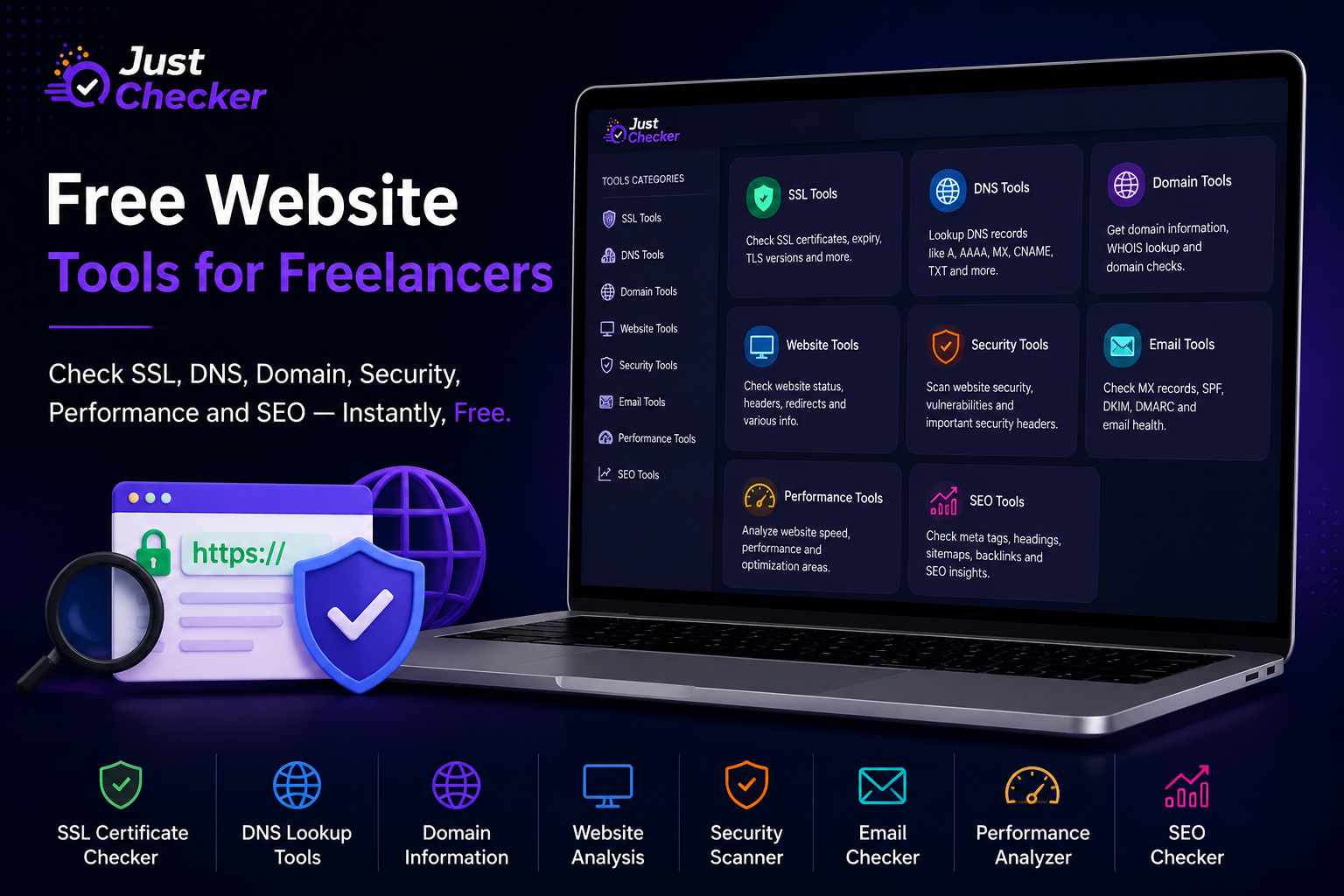
JustChecker's free tools collection brings together tools across multiple categories, including SSL Tools, DNS Tools, Domain Tools, Website Tools, Security Tools, Email Tools, Performance Tools, and SEO Tools.
The tools can be useful for quick technical checks when launching a website, troubleshooting a client issue, reviewing a domain configuration, or performing a final quality check before project delivery.
A Simple Pre-Delivery Checklist for Freelancers
Before marking a website project as complete, freelancers can use the following checklist:
- Open the website and test the main pages
- Check whether HTTPS is working correctly
- Review the SSL certificate and expiry date
- Confirm the domain points to the correct server
- Check important DNS records
- Review HTTP status codes
- Test redirects
- Check basic security headers
- Verify MX, SPF, DKIM, and DMARC if email is configured
- Review response time and compression
- Check meta title and description
- Confirm robots.txt and XML sitemap where applicable
- Review canonical URLs and page indexability
Not every project will require every check. However, having a structured process can reduce the chances of missing important technical details.
Final Thoughts
A successful website delivery is about more than completing the design and code. Basic technical verification can help freelancers deliver projects with greater confidence and identify common problems before clients encounter them.
SSL, DNS, domain information, website status, security headers, email authentication, performance, and SEO are all areas worth reviewing during a final quality check.
For freelancers who want quick access to multiple technical checks, the free website and network tools available on JustChecker can be a practical resource to keep in a regular website delivery workflow.
A few minutes spent checking a website before delivery can potentially save hours of troubleshooting later.
Frequently Asked Questions
What are free website tools?
Free website tools are online utilities that help users check different aspects of a website, such as SSL certificates, DNS records, domain information, website status, security headers, performance, email configuration, and SEO signals.
Which website checks should a freelancer perform before delivering a project?
At a minimum, freelancers should test the website functionality, HTTPS, SSL status, important redirects, HTTP status codes, basic SEO elements, and relevant DNS or email settings.
Can I check SSL certificate expiry online?
Yes. An SSL certificate checker can display certificate information, including its status, issuer, expiry date, and the remaining time before expiration.
Why should freelancers check DNS records?
DNS records determine where website and email traffic is directed. Checking DNS records can help troubleshoot issues after hosting migrations, domain changes, email setup, or server configuration updates.
What are SPF, DKIM, and DMARC?
SPF, DKIM, and DMARC are email authentication technologies used to help validate authorized email sending and improve domain email security and deliverability.
Are security header checks useful for small websites?
Yes. Basic security headers can provide useful information about how a website is configured from a browser security perspective. However, a header check should not be considered a replacement for a complete professional security assessment.
Can free tools help with website SEO?
Yes. Basic SEO tools can help review elements such as meta titles, meta descriptions, canonical URLs, heading structure, robots.txt, XML sitemaps, image alt text, structured data, and indexability signals.
Where can I find multiple free website checking tools in one place?
You can explore tools for SSL, DNS, domains, website health, security, email configuration, performance, and SEO through JustChecker Free Tools.
